Getting Started
Stratus Allocator Pro helps process source files, allocate premiums to the correct taxing jurisdictions, review address matches, correct exceptions, and export results for reporting or filing.
Use the Allocator workspace to upload source files, monitor jobs, review reports, update options, and access export tools.
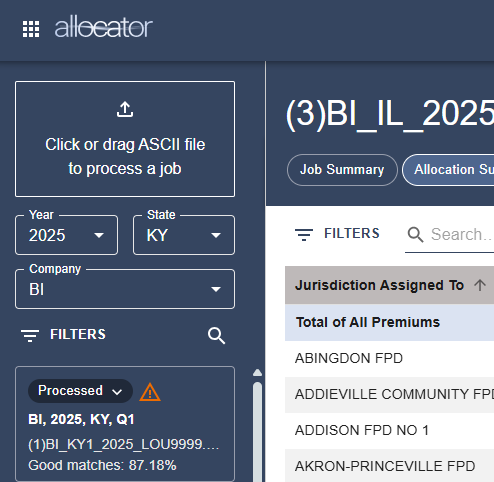
Use this article as a starting point for the Allocator workflow. For the full step-by-step process, see How do I process an Allocator file?
Basic Allocator Workflow
Before you process a file, confirm that your source file is prepared correctly and that you are working in the correct year, state, and company.
The basic Allocator workflow is:
- Prepare your source file.
- Name the source file correctly.
- Open Stratus Allocator Pro.
- Select the correct year, state, and company.
- Review Allocator Options.
- Upload and process the source file.
- Review processing warnings, then review reports.
- Correct address exceptions, if needed.
- Approve the allocation job.
- Download reports or export files for the next step.
Before You Begin
Before processing an Allocator file, review the following:
- Correct year, state, and company
- Source file requirements
- File naming convention
- Allocator Options
- Supported states and state-specific requirements
Source files may be delimited or fixed width. Delimited files may be comma delimited, tab delimited, semicolon delimited, or another supported delimiter. Fixed width files must match the field lengths configured in Allocator Options.
Only physical addresses should be used when possible. PO Boxes, Rural Routes, and other non-physical addresses may not be accurately geocoded.
Next Steps
If you are new to Allocator, start with How do I process an Allocator file?
If you already have a file ready, review Name an Allocator Source File and Allocator Options before uploading.
If your file has already processed, go to Allocator Reports or Correcting Addresses in Allocator.
Related Articles